
Documents
Documents are the files you upload to build your chatbot’s knowledge base. When someone asks your chatbot a question, it searches through these documents to find relevant information.
How to Get There
From the School Dashboard, click Documents in the left sidebar under Knowledge.
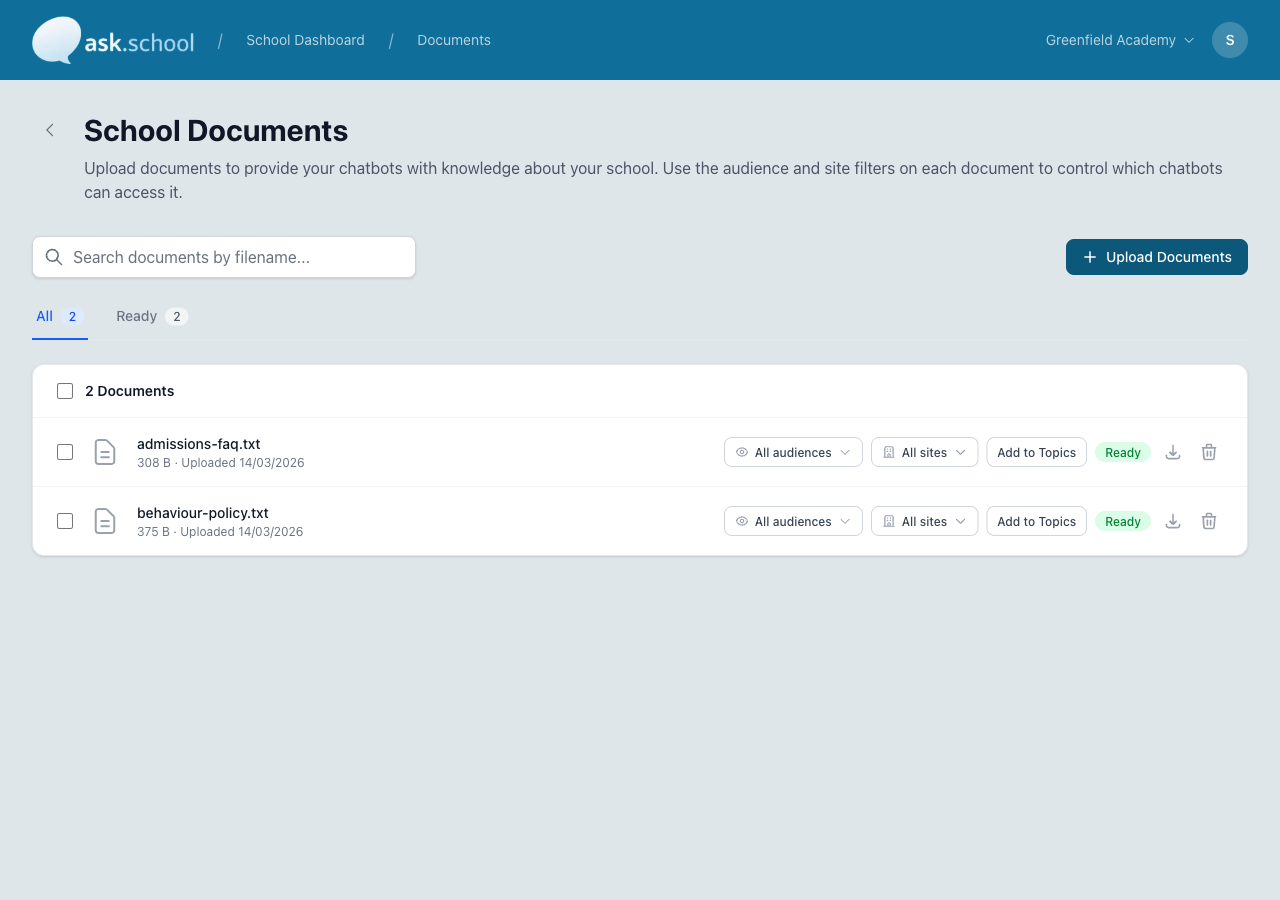 The Documents page showing uploaded documents with search and status indicators
Supported formats
You can upload files in the following formats:
| Format | Description |
|---|---|
| Policy documents, prospectus, handbooks | |
| DOCX | Word documents |
| TXT | Plain text files |
| MD | Markdown files |
| CSV | Spreadsheets and data tables |
PDF and DOCX are the most common formats. If you have documents in other formats, convert them to one of the supported types before uploading.
Uploading documents
- Go to Documents from the sidebar.
- Click Upload Document.
- Select one or more files from your computer.
- Wait for the files to finish processing.
Each document goes through a processing pipeline after upload:
- Pending — Queued for processing
- Processing — Being read and indexed
- Completed — Ready for the chatbot to use
- Failed — Something went wrong (try re-uploading)
Document levels
Documents can be assigned to different levels:
- Organisation — Available to all chatbots in your school. Use this for school-wide policies and handbooks.
- Chatbot — Only available to a specific chatbot. Use this for chatbot-specific content.
Organisation-level documents are shared across all your chatbots automatically. You don't need to upload the same file multiple times.
What to upload
Here are some examples of useful documents to upload:
- School prospectus
- Behaviour policy
- Safeguarding policy
- Staff handbook
- Parent handbook
- SEND policy
- Admissions information
- Curriculum overviews
- FAQs
- Term dates
Managing documents
From the documents list you can:
- View document details and processing status
- Delete documents you no longer need
When you delete a document, it is removed from the chatbot’s knowledge base and the chatbot will no longer reference it.
File size
Individual files can be up to 100 MB in size. Your total storage is determined by your subscription plan.
Next Steps
- School Knowledge — Add Q&A pairs for common questions
- Useful Links — Add links the chatbot can share
- Personal Data — How document content is processed and stored
- Creating Chatbots — Set up chatbots that use your documents