
Safety checks on every chatbot reply
Personal information is masked before it reaches the AI. Made-up answers are caught and flagged. Attempts to trick the chatbot are blocked. Eleven different safety checks run on every conversation, all on from the moment you create a chatbot — and your safeguarding lead reviews anything flagged in one place.
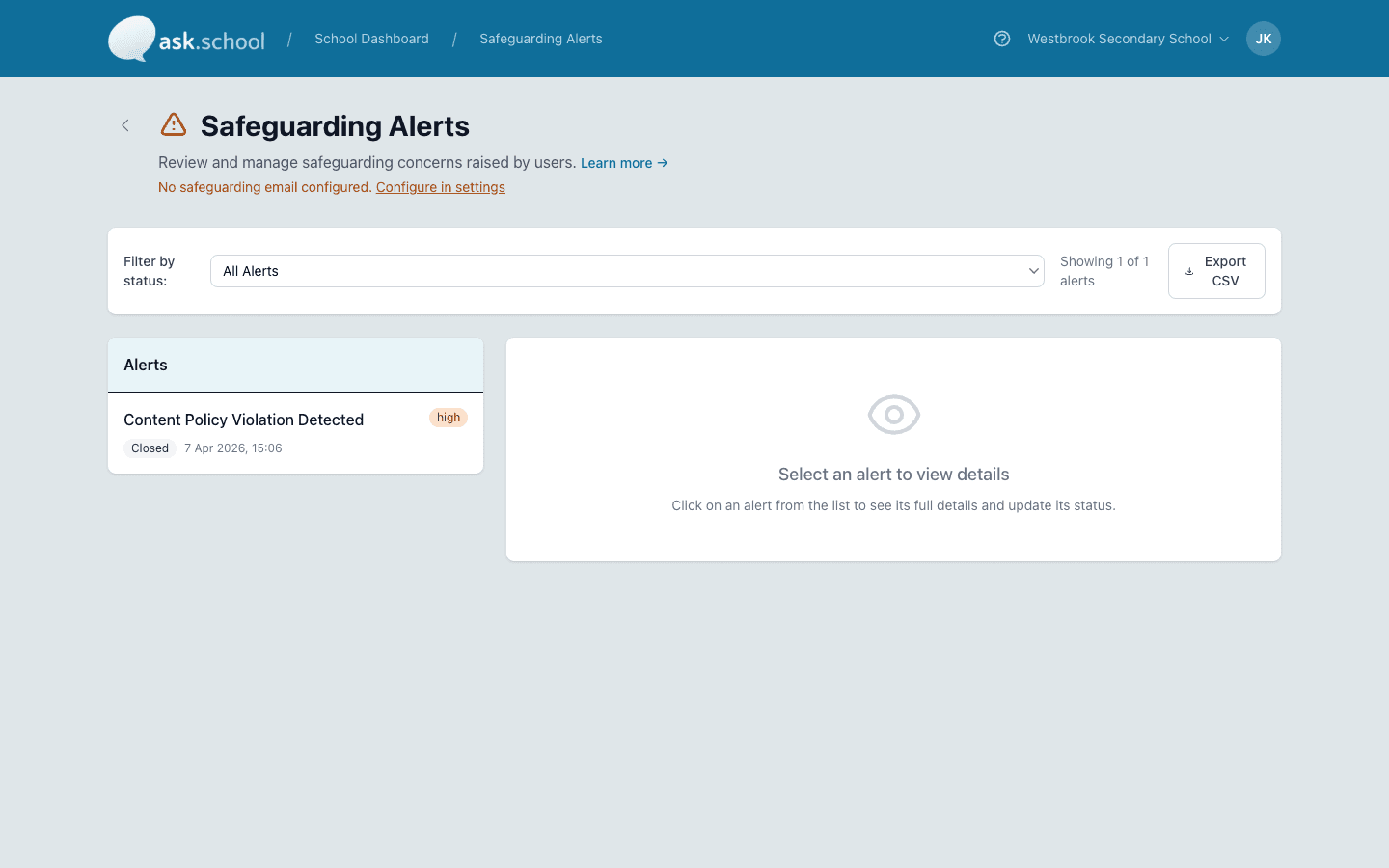
Your DSL's view: every flagged event in one place, ready to review.
The capability, in plain English
Personal information is masked
Names, emails, phone numbers, NHS numbers, addresses and a dozen more types are spotted and hidden before they reach the AI. Your school's own contact details are recognised automatically, so the chatbot can still share its own phone number with parents.
Made-up answers are caught
Every reply is checked against the documents your school has provided. If the chatbot says something the documents don't actually support, it is flagged for review.
Attempts to trick the chatbot are blocked
When someone tries to talk the chatbot into ignoring its rules — including the slow back-and-forth attempts that simple keyword filters miss — the attempt is caught and recorded.
Inappropriate content is filtered
Hate, harassment, violence, self-harm and sexually explicit content are all caught and held back. So are questions that have nothing to do with the school's job.
Only your own links get through
The chatbot won't link parents and students out to random websites. Only addresses you've approved are allowed in replies.
You write the response messages
Edit the wording users see when a safety check kicks in. Keep the tone in line with your school's voice — and the language age-appropriate for the audience.
Hidden personal information is caught too
We catch the tricks that hide personal data inside long encoded strings. Even when someone tries to be clever, the chatbot still won't pass it on.
Anyone can report a reply
Parents, staff and students can flag a chatbot reply that looks wrong. The report goes to your DSL with the full conversation, ready to review.
Stricter checks for children
On chatbots that students use, you can switch on the DfE's safety standards for children — and the checks become tighter automatically.
From sign-up to running in minutes
- STEP 1
Create a chatbot
Every chatbot starts with the full set of safety checks turned on. There is nothing to configure.
- STEP 2
Write the response messages
Edit what users see when a safety check kicks in, in your school's voice and language.
- STEP 3
Your DSL reviews flagged events
Anything that's been caught appears in one list. Your DSL filters by type or date, opens each one, and records a short note when it's closed.
- STEP 4
Switch on stricter rules for children
On chatbots students use, turn on the DfE children's safety standards. The checks tighten for that audience automatically.
What to tell your DPO
KCSIE Annex D
The online-safety, filtering and monitoring duties set out in KCSIE are met by the safety checks here, plus the conversation review tool your DSL uses.
DfE children's AI safety standards
Where students are using a chatbot, you can switch on the stricter checks the Department for Education has set out — without affecting your staff-facing chatbots.
OpenAI moderation, included
OpenAI's own moderation tool is one of the layers running on every reply. It's not the whole story, but it's a reliable safety net for hate, harassment, violence and self-harm.
Full detail in our DPA, sub-processor list and the safeguarding hub.
Ready to see this in your school?
Start a free 14-day trial. No credit card required. Cancel any time.