
The oversight your DSL actually wants
Read every conversation parents, students and staff have had with your chatbots, with personal information masked for privacy. See everything that's been flagged for review in one list. Check how much the chatbots are being used and how much they cost. The audit trail isn't an afterthought — it's the point.
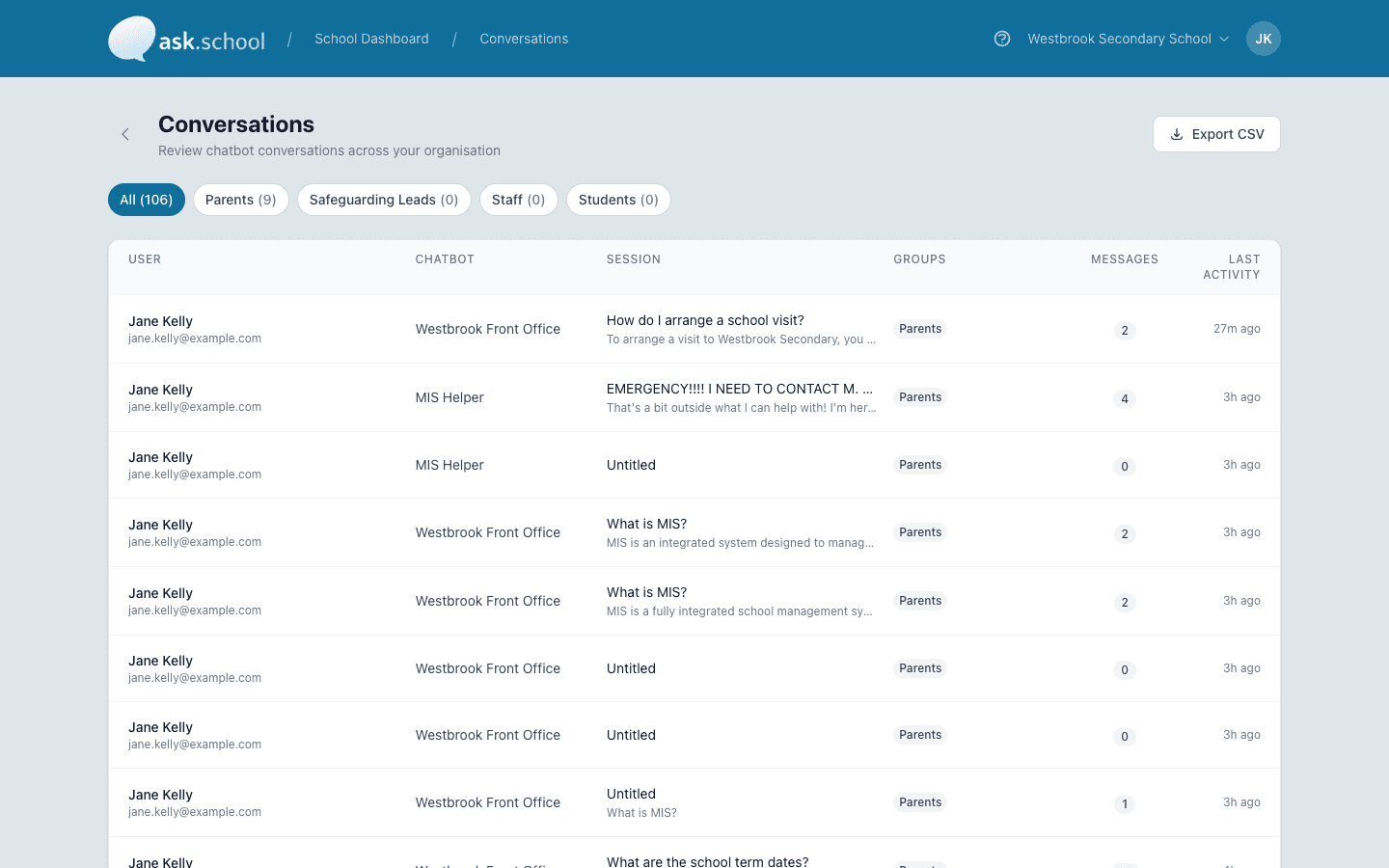
Filter by audience, open any conversation — the flagged ones stay visible.
The capability, in plain English
Read every conversation
Browse the conversations parents, students and staff have had with your chatbots. Filter by chatbot, by audience or by date. Personal information is masked, so it's safe to share with anyone who needs to review it.
One list for the DSL
Everything that's been caught — masked personal information, made-up answers, attempts to trick the chatbot, anything a user reported — appears in a single list. Your DSL works through it without hunting.
User reports
If a parent, student or staff member sees a chatbot reply that looks wrong, they can flag it. The report goes straight to the DSL with the full conversation. They review, decide, and close it — and the decision is recorded.
Test as a different audience
Want to check what a parent sees, or what a student sees? Replay any conversation as a different audience to confirm the chatbot only shares what it should.
Usage at a glance
How many active chatbots, how many users, how many messages this month, how many documents — your usage dashboard shows the headlines without you having to add anything up.
Cost tracking for SLT reports
How much each chatbot costs to run, by month and by chatbot. Easy to drop into a senior leadership report without spreadsheet acrobatics.
Ready to see this in your school?
Start a free 14-day trial. No credit card required. Cancel any time.