
Forms parents fill in without leaving the chat
A parent asks 'how do I report an absence?' and the chatbot offers a short form, right there in the conversation. The information goes straight to the absence inbox — or into your MIS, where Wonde supports it. No phone call, no PDF, no third-party form to find.
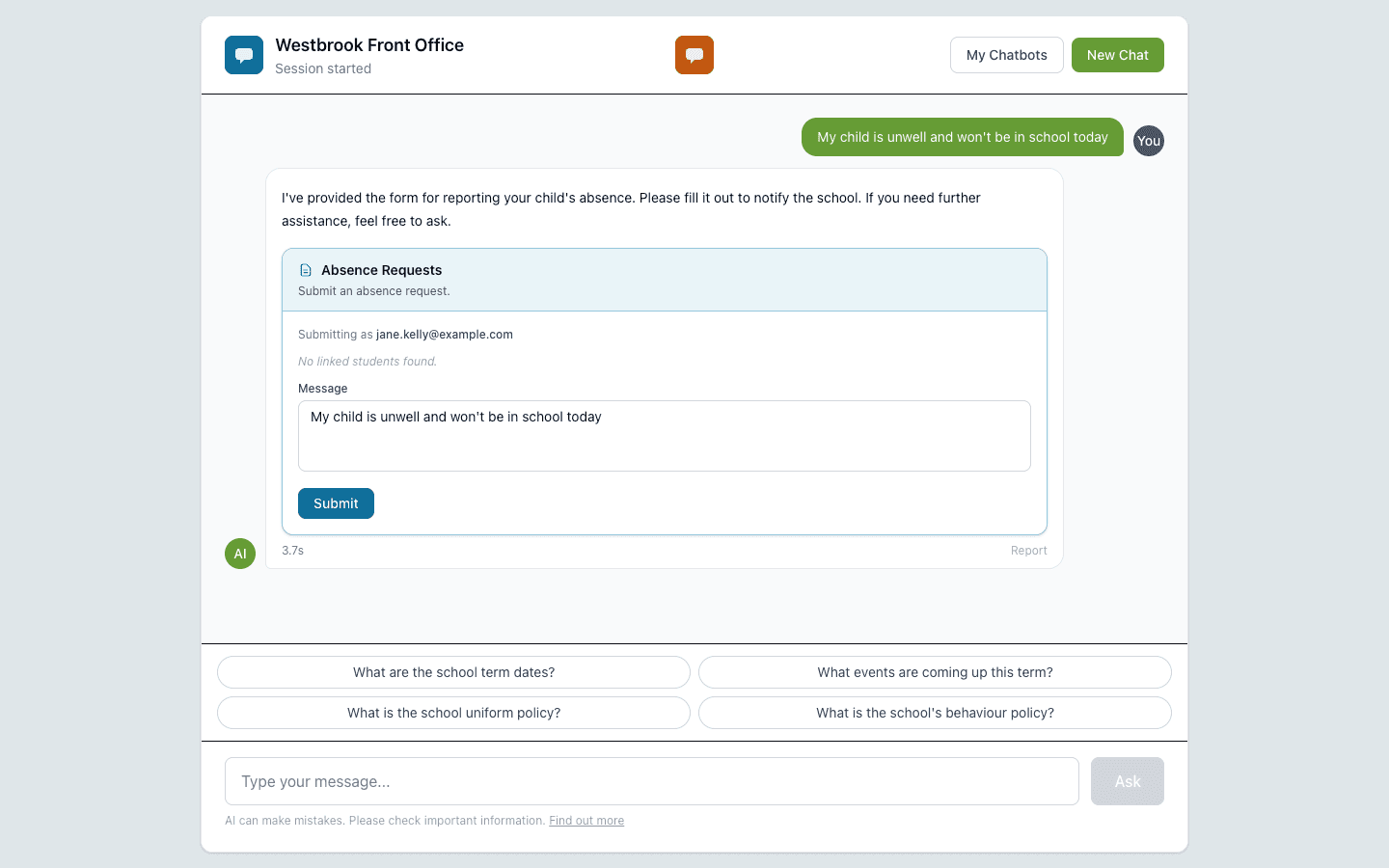
When a parent says their child's unwell, the chatbot offers the absence form right there in the chat.
The capability, in plain English
Absence reports
When a parent types something like 'my child is unwell', the chatbot offers an absence form: child's name, year group, reason, dates. The submission goes to the absence inbox or, if you're using Wonde, straight into your MIS.
Contact forms
General enquiries, lettings requests, admissions questions — each can have its own form going to its own inbox. Parents don't need to know who to email.
Build your own forms
Build a form for anything that comes up often: trip permissions, parents' evening bookings, after-school club sign-ups. Pick the fields, the trigger words and where the answers should go.
Forms only show up for the right people
A staff-only form won't appear for a parent. A parent-only form won't appear for a public visitor. Every form follows the same audience rules as the rest of the chatbot.
Tell users what happens next
Set your own confirmation message — 'thank you, the office will reply within 24 hours' or 'we have logged your child's absence' — in your school's voice.
Every submission is on file
Every form a parent or staff member fills in is kept on the dashboard. Search, filter or export them whenever you need to.
From sign-up to running in minutes
- STEP 1
Pick a starter form
Choose absence reporting, contact or feedback — or start from scratch and build your own.
- STEP 2
Set the trigger words
List the things parents actually type — 'absent', 'sick today', 'off school', 'won't be in'. The form will offer itself when any of those come up.
- STEP 3
Choose where the answers go
An email inbox, your MIS through Wonde, or both. Different forms can go to different places.
- STEP 4
Attach the form to a chatbot
Decide which chatbots and which audiences should see this form. The form will only appear in those conversations.
Ready to see this in your school?
Start a free 14-day trial. No credit card required. Cancel any time.