
Where the chatbot's answers come from
Upload your school's documents — handbooks, policies, term-dates calendars, anything you'd point a parent towards. Write down the answers to the questions you get asked over and over. Add links to pages on your school's website, and Ask.School will check them every so often to keep its answers up to date. Your school's content is yours alone — never mixed with another school's.
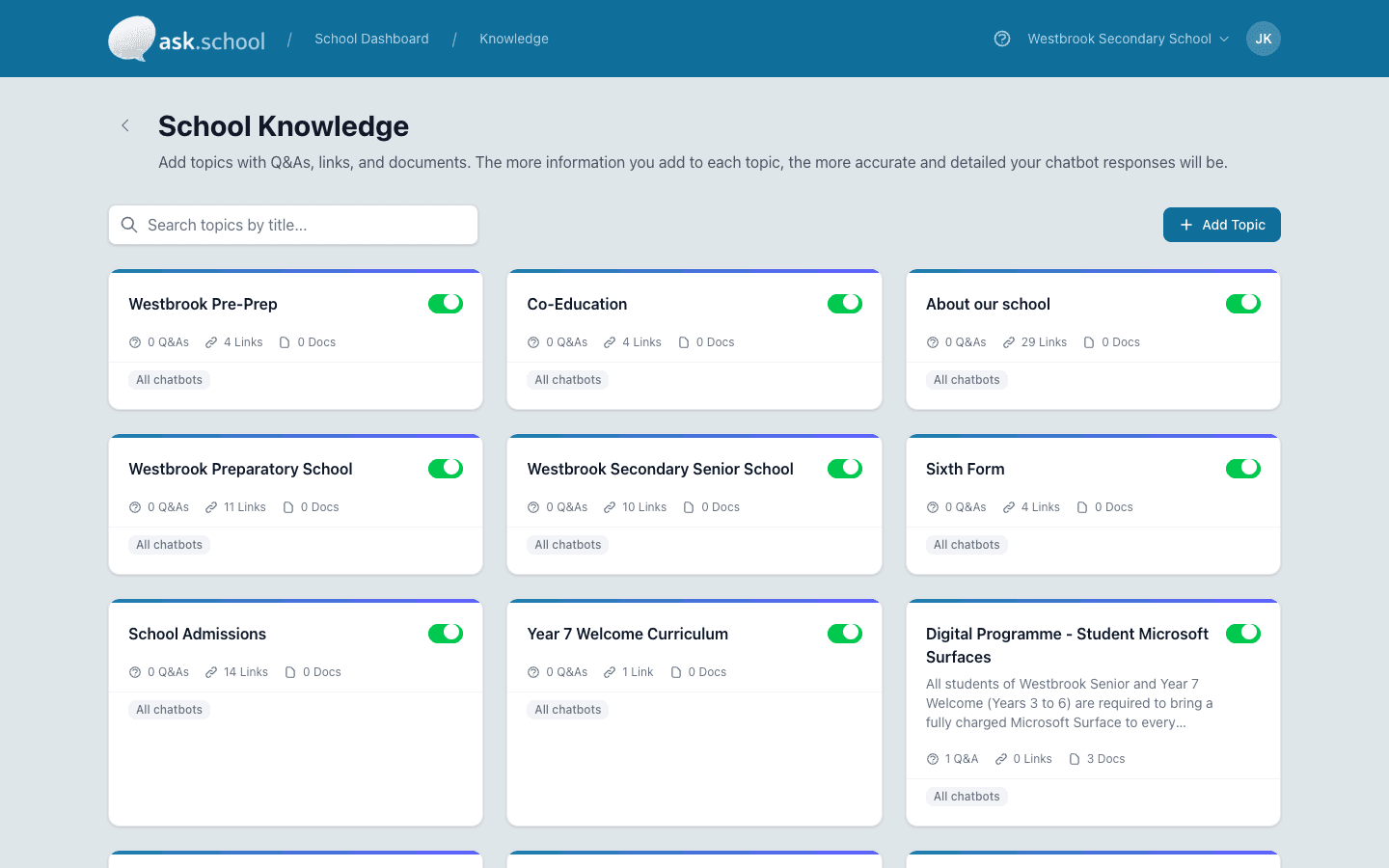
Write the answer once. The chatbot uses it for parents, students and staff alike.
The capability, in plain English
Drag and drop your documents
PDFs, Word documents and plain text files all work. You can see at a glance which have been added to the chatbot, which are being processed, and which need a closer look.
Write down the answers you say all the time
If your office answers the same questions every term — uniform, lunch, term dates — write them down once as a Q&A. The chatbot will use your wording, not its own.
Add links to your school's webpages
Pop in the URL of your term-dates page or your uniform policy. Ask.School will read it for you and check it again every so often, so your chatbot's answers stay current as your website changes.
Your school's profile, generated from your website
Point us at your homepage and we'll pull together a short profile of your school — contact details, address, the basics — so the chatbot has context for every reply.
Different content for different chatbots
Some documents apply to the whole school — your safeguarding policy, your GDPR notice. Others belong only to one chatbot — sixth-form induction, after-school clubs. Set the level when you upload.
Your school's content stays yours
Your documents and your knowledge are kept apart from every other school's. They're never used to train the AI, never shared, never mixed.
Ready to see this in your school?
Start a free 14-day trial. No credit card required. Cancel any time.